
Set goals with your class — and let them track progress alongside you
The topic readiness check-in now has a student-facing view, so your class can track their own skill progress across current topic and prerequisite skills.

Students can now see the same topic readiness data you do
If you've been using the topic readiness check-in, you already know how clearly it shows where your class stands before and during a topic. Until now, that view has been yours alone. Students can now see the same data on their side — which opens up something new: shared goals you can both track over time.
What's changed
We've added a topic progress page to the student experience. Each student sees their own skill proficiency for the current topic, with the same breakdown of current and prerequisite skills you see on your topic readiness check-in report. They can view it as a visual overview or switch to a list for skill-by-skill detail.
On their side, prerequisite skills are grouped into gaps, needs practice, and proficient — so a student can immediately see which skills to tackle first without needing to ask you.
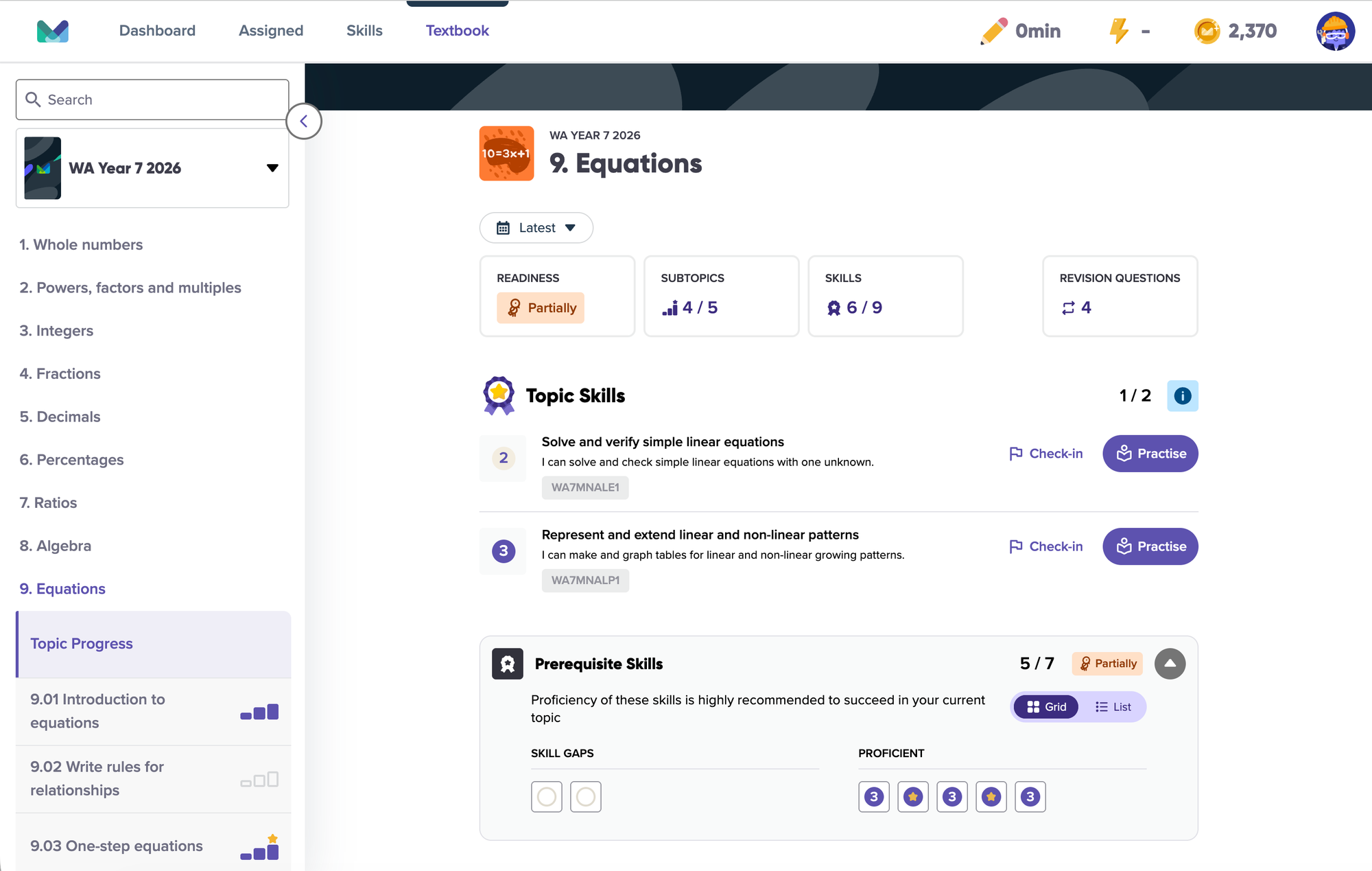
On their side, prerequisite skills are grouped into gaps, needs practice and proficient, so a student can immediately see which skills to work on first without needing to ask you.
Set a goal, then track it together
This is where the update becomes especially powerful.
When students can see their own progress over time, goal setting becomes much more meaningful. You can set a clear class target, and students can track their own movement toward it — the same way you track progress from your teacher view.
For example, you might start a new topic by assigning the topic readiness check-in as a baseline, then tell your class:
“Our goal is for everyone to fill their prerequisite gaps by Friday.”
Previously, you could monitor that progress from your report, but students relied on you to tell them where they stood. Now, they can open their own topic progress page and see exactly what is left to do. They can tell which prerequisites are still gaps, which need more practice and which are already proficient.
That shared visibility makes progress feel more concrete. Students are no longer just completing assigned work — they are working toward a visible goal.
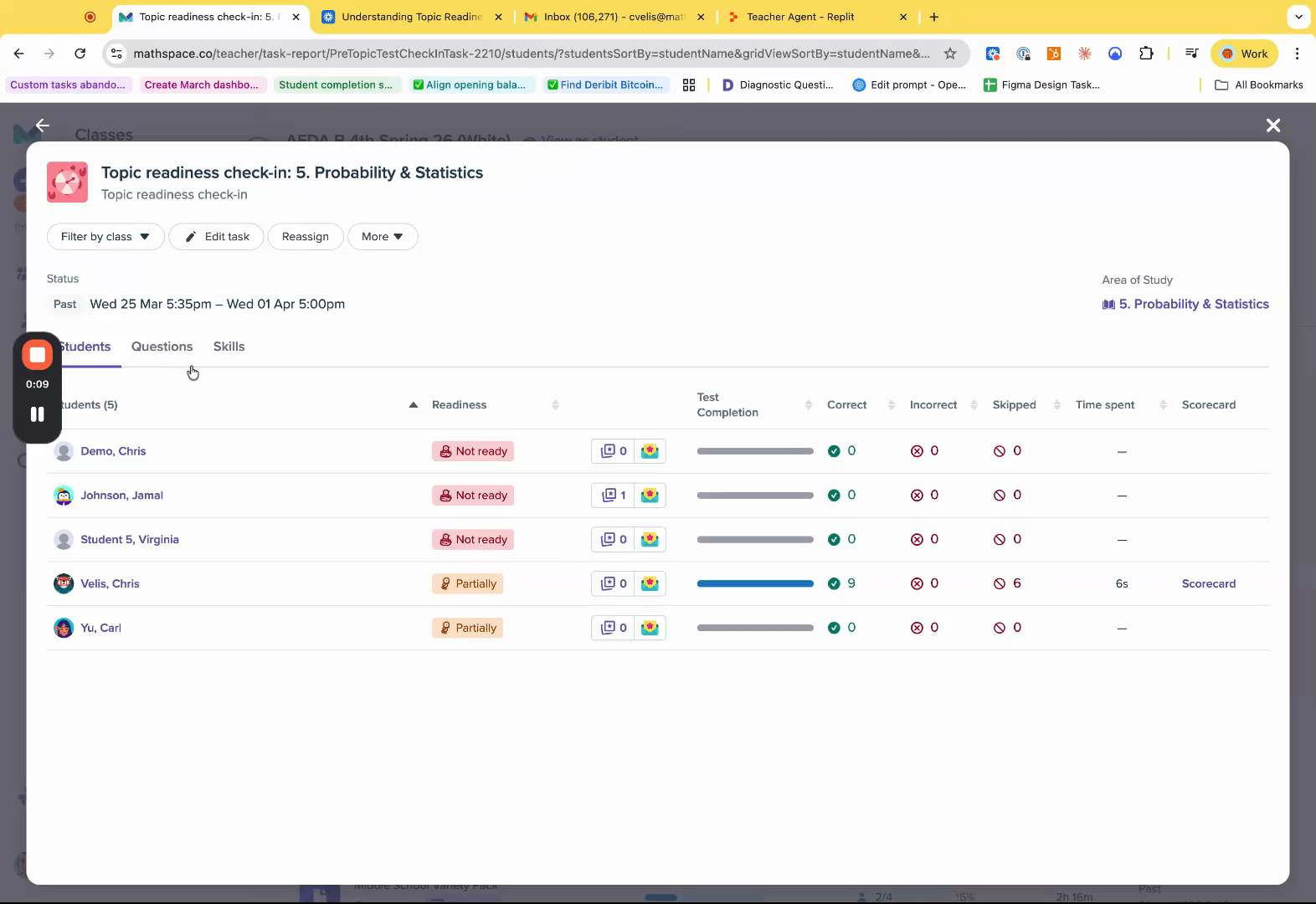
A shared view of progress
You still have your class-wide topic readiness check-in report to monitor everyone at once, identify patterns and spot students who may need extra support.
The difference is that students now have their own slice of the same information.
That means you can have more focused conversations about progress, set clearer short-term goals and help students take more responsibility for their learning. Instead of progress being something only the teacher sees, it becomes something students can understand, track and act on.
No setup needed
If you're already assigning topic readiness check-ins, your students will see their topic progress page automatically. There's nothing extra to configure. If you haven't tried the topic readiness check-in yet, this is a good reason to start, assign one at the beginning of your next topic and see how your class responds to having their own progress view.
For a full walkthrough of what students see and suggested ways to use the shared view in your classroom, read our knowledge base article.