
Question retries now work after students submit a task
Fix mode in Mathspace extends question retries so students can go back and correct mistakes after submitting a task. Their score updates in real time as they fix each error.

If you've used Mathspace, your students already know how question retries work — when they get a question wrong, they can retry it on the spot before moving on. It’s one of the features teachers tell us they value most, because students learn more from correcting an error in the moment than from seeing a red cross and moving on.
But until now, retries only worked during a task. Once a student submitted, their score was locked in. If they rushed through the last few questions or made careless errors near the end, there was no way back.
That’s changed. With fix mode, question retries now extend beyond submission. Students can go back and correct their mistakes on a completed custom task, and their score updates in real time as they work through each one. The option stays open right up until the due (or expiry) date.
How it works
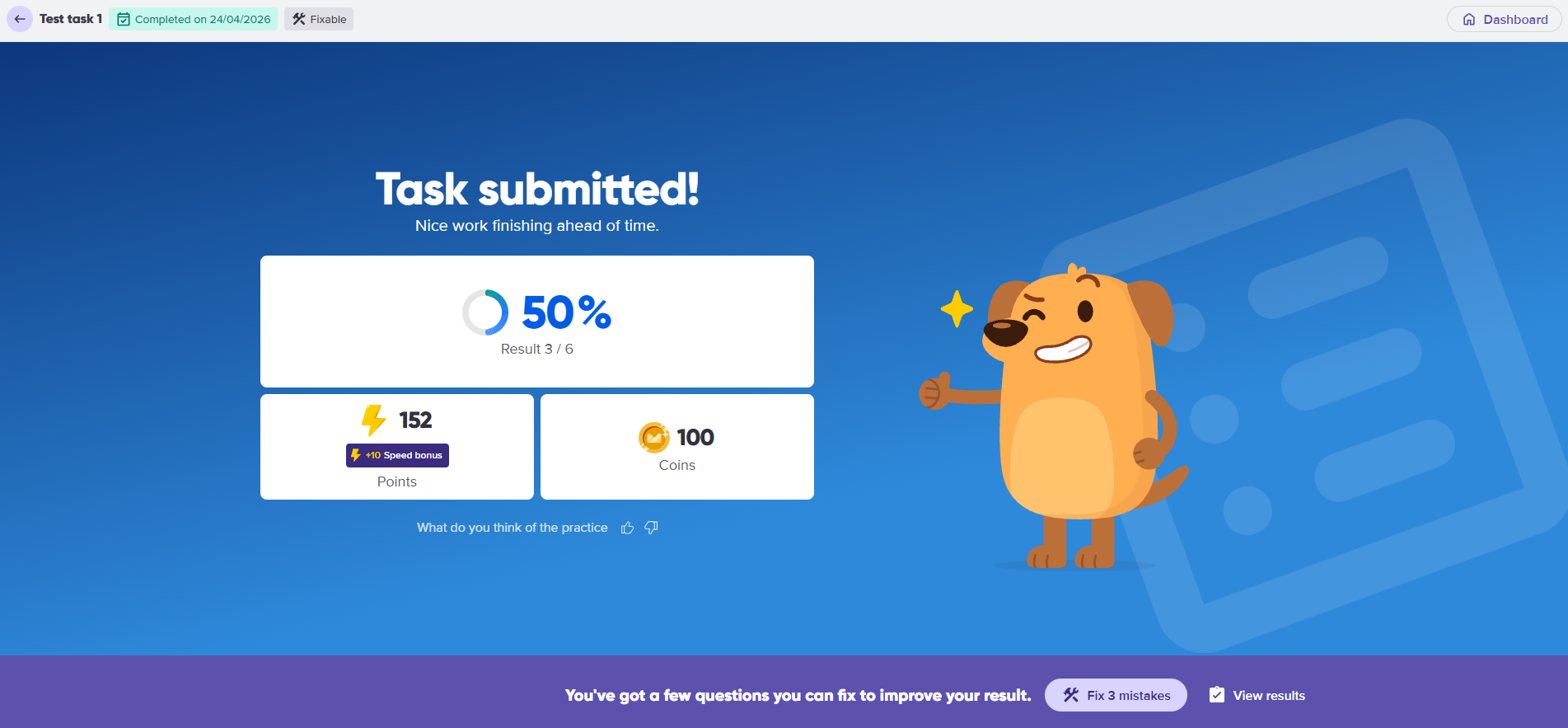
After a student submits a task, they land on a completion screen showing their score and how many questions they got wrong. From there, they can choose to fix their mistakes straight away, or come back to it later.
Mathspace presents each incorrect question for them to retry — the same retry experience they’re already familiar with. As they get each one right, their score updates on the fly. A student who started at 59% might reach 72% after fixing just two questions, and they can see that progress as it happens.
They don’t have to fix everything in one sitting. They can stop, close the task, and pick up where they left off any time before the due date.
What this means for your classroom
The biggest shift is that tasks become more formative. Previously, a submitted task was a finished product — students got their score and moved on, even if they knew they could do better. Now, submission is a checkpoint rather than an endpoint. Students can keep working on the questions they got wrong, which is where most of the actual learning happens.
A few ways teachers are using this:
Setting minimum performance targets. If you tell your class “everyone should reach at least 70% on this task,” students now have a concrete way to get there. They can track their own progress toward that target as they fix each mistake.
Making homework genuinely iterative. Rather than setting a task and collecting a single score, the task stays active until the expiry date. Students who engage with their errors after the first attempt are doing exactly the kind of practice that builds understanding.
Nothing to set up
Fix mode is available automatically on all tasks with question retries turned on. As students fix their mistakes, their updated scores appear in your class report in real time.
For a step-by-step guide on how this feature works, see our knowledge base article: How fix mode works