How to set different due dates for different students without duplicating tasks
Set different due dates for different students within a single Mathspace task using task groups. One task, multiple groups, each with their own timeline — no duplicates needed.

You want to give one group of students an extra day on a task. Or stagger start dates for a section of your class who you teach at a different time. Until now, the only way to do this was to create a separate copy of the task for each group, which meant duplicate tasks on your dashboard and fragmented reporting.
Task Groups lets you manage it in one place. One task, multiple groups, each with their own start and due date.
What this looks like
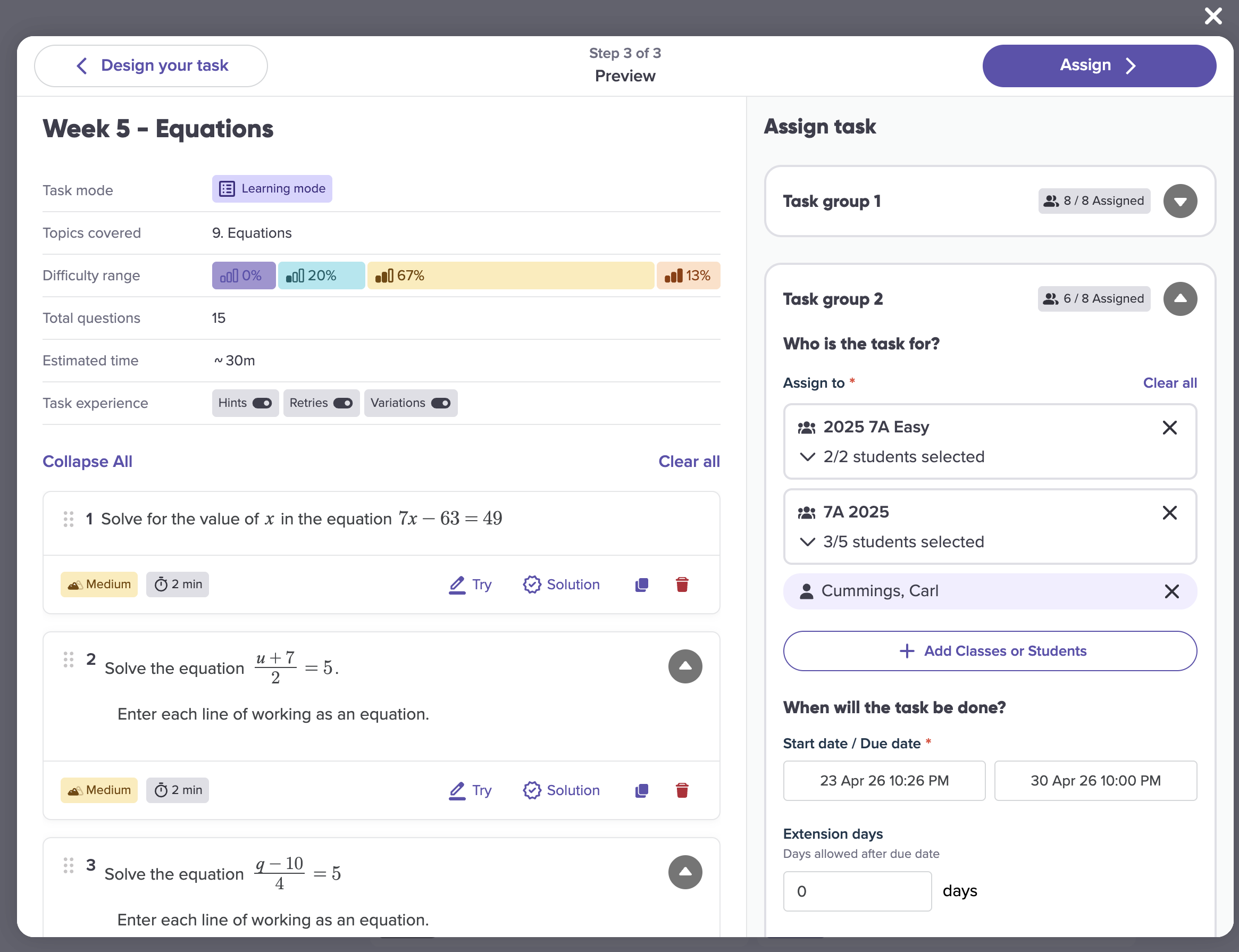
When you create or edit a task, you add groups and assign students to each one. Each group gets its own start date and due date.
Students already assigned to one group appear greyed out when you’re building another, with a prompt if you’d like to move them. Your class report shows each student’s group alongside their group-specific deadlines, so you can see at a glance who’s working to which timeline.
When this is most useful
Differentiating pacing without the admin overhead. Instead of managing 3 copies of “Unit 5 Practice” with slightly different due dates, you manage one task with 3 groups. Your reporting stays unified and your dashboard stays clean.
Staggering a task introduction. Give one group a later start so you can introduce the topic in a small-group session first, while another group works independently. Both groups complete the same task and their results appear in the same report.
Adjusting deadlines mid-task. A new edit task slide-out lets you update group assignments after a task is live. If a student needs to move groups, or a group needs more time, you can adjust without starting over.
For a step-by-step guide, see our knowledge base article: Setting up Task Groups to assign different due dates within a single task